


If you’re looking to start a YouTube channel, livestream to X, Instagram or other platforms, the first step is to just get started.
Stream Your World. Attract A Tribe.
Step 1: Define Your Purpose and Niche
Before hitting the record button or going live, take a moment to think about why you want to start a YouTube channel or livestream. What topics are you passionate about? What value can you bring to your audience? Defining your niche will help you create focused content that resonates with viewers.
Questions to Ask Yourself:
What topics do I enjoy talking about or have expertise in?
Who is my target audience?
What kind of content do I want to create (e.g., tutorials, vlogs, gaming, reviews, live Q&As)?
For example, if you love fitness, you could start a YouTube channel with workout tutorials or livestream fitness challenges on Instagram. If you’re a gamer, you might stream gameplay on X or create YouTube videos with tips and tricks.
Step 2: Choose Your Platform(s)
Each platform has its strengths, so consider where your audience is most likely to engage with your content. You don’t need to be on every platform right away—start with one or two that align with your goals.
Platform Breakdown:
YouTube: Ideal for long-form content like tutorials, vlogs, and storytelling. It’s a search-friendly platform where videos can gain traction over time.
Instagram: Great for short-form videos (Reels) and livestreaming (Instagram Live). Perfect for visually appealing content and quick updates.
X (Formerly Twitter): A conversational platform where you can livestream events, host discussions, or share short clips. It’s great for real-time engagement.
Other Platforms (Twitch, TikTok, etc.): Twitch is popular for gaming and live events, while TikTok thrives on short, viral videos.
Start with the platform that feels most comfortable for you, and expand as you grow.
Step 3: Gather Basic Equipment
You don’t need fancy gear to get started—your smartphone and a good attitude are enough! That said, here are some basics to consider:
For YouTube Videos:
Camera: Use your smartphone camera or a budget webcam. Most modern phones shoot in HD, which is more than enough for beginners.
Microphone: Clear audio is crucial. A simple clip-on lavalier mic or earbuds with a built-in mic can work wonders.
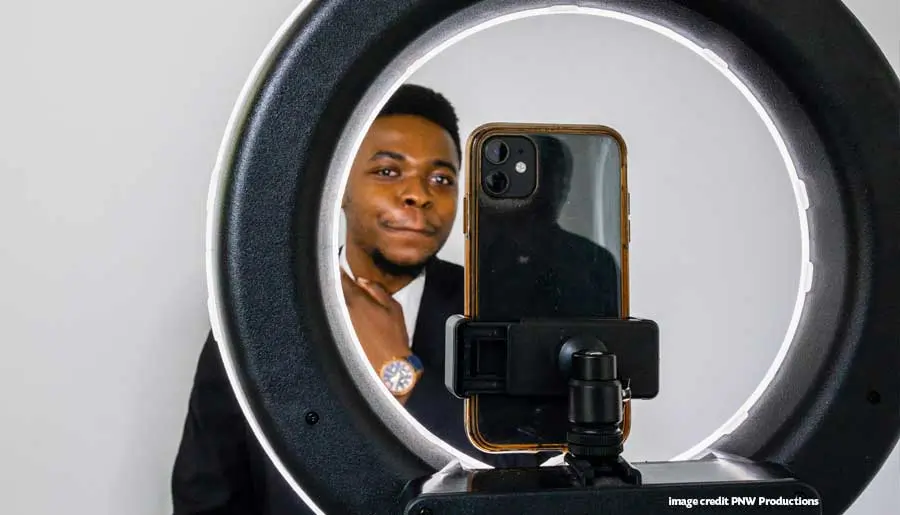
Lighting: Natural light (near a window) or a cheap ring light can make your videos look more professional.
Tripod or Stabilizer: A tripod or even a stack of books can keep your camera steady.
For Livestreaming (X, Instagram, etc.):
Smartphone: Most platforms allow you to go live directly from your phone.
Stable Internet Connection: Ensure you have a reliable Wi-Fi or mobile data connection to avoid buffering.
Optional Accessories: A small tripod or selfie stick can help with framing.
Don’t let equipment hold you back—work with what you have and upgrade as you grow.
Step 4: Create Your First Piece of Content
Now it’s time to take the plunge! For your first YouTube video or livestream, keep it simple. The goal is to get comfortable in front of the camera and start building confidence.
Ideas for Your First YouTube Video:
Introduce yourself and explain what your channel will be about.
Share a quick tutorial or tip related to your niche.
Film a “day in the life” vlog to give viewers a glimpse of who you are.
Ideas for Your First Livestream:
Host a casual Q&A session to connect with your audience.
Share a behind-the-scenes look at something you’re working on.
Go live while doing a hobby (e.g., cooking, gaming, or crafting).
Tips for Success:
Write a loose script or outline to stay on track.
Don’t aim for perfection—your first video or stream won’t be flawless, and that’s okay!
Be authentic and let your personality shine through.
Before uploading your video or going live, make sure your channel or profile is ready to welcome viewers.
For YouTube:
-
Create a Google account if you don’t already have one.
-
Sign in to YouTube and click “Create a Channel.”
-
Add a profile picture, banner image, and channel description that reflect your brand.
-
Upload your first video by clicking the “Create” button and following the prompts.
For Instagram or X:
-
Ensure your profile is public so viewers can find you.
-
Add a bio that explains who you are and what you do.
-
Post a few pieces of content (photos, short videos, or tweets) before going live to give followers a sense of what to expect.
Step 5: Set Up Your Channel or Profile
Before uploading your video or going live, make sure your channel or profile is ready to welcome viewers.
For YouTube:
Create a Google account if you don’t already have one.
Sign in to YouTube and click “Create a Channel.”
Add a profile picture, banner image, and channel description that reflect your brand.
Upload your first video by clicking the “Create” button and following the prompts.
For Instagram or X:
Ensure your profile is public so viewers can find you.Add a bio that explains who you are and what you do.
Post a few pieces of content (photos, short videos, or tweets) before going live to give followers a sense of what to expect.
Step 6: Promote Your Content
Once your video is uploaded or your livestream is scheduled, don’t just sit back and wait for viewers to find you. Share your content with friends, family, and followers to get the ball rolling.
Promotion Tips:
-
Share your video or livestream link on social media platforms.
-
Join online communities or forums related to your niche and share your content (without spamming).
-
Engage with your audience by responding to comments and messages.
-
Step 7: Learn and Improve
Your first video or livestream might not get thousands of views—and that’s perfectly normal. The key to success is consistency and improvement. Pay attention to what works and what doesn’t, and keep refining your content.
How to Improve:
-
Watch your own videos or streams to see where you can improve (e.g., pacing, lighting, energy).
-
Ask for feedback from viewers or trusted friends.
-
Study successful creators in your niche to learn from their techniques.
Step 8: Stay Consistent
Building an audience takes time, so don’t get discouraged if growth is slow at first. Set a realistic schedule for uploading videos or going live, and stick to it. Consistency helps your audience know when to expect new content and keeps you motivated.
Example Schedule:
YouTube: Upload one video per week.
Instagram: Post Reels daily and go live once a week.
X: Share updates daily and livestream once or twice a month.
Common Challenges and How to Overcome Them
Starting a YouTube channel or livestreaming can feel daunting, but here are some common hurdles and how to tackle them:
1. Fear of Judgment
Solution: Remember that everyone starts somewhere. Focus on creating content for the people who will appreciate it, not the critics.
2. Lack of Views
Solution: Keep creating and promoting your content. Over time, as you improve and optimize your videos (e.g., with better titles and thumbnails), your audience will grow.
3. Technical Issues
Solution: Test your setup before going live or uploading. If something goes wrong, laugh it off and keep going—viewers appreciate authenticity.
Final Thoughts
If you’re looking to start a YouTube channel, livestream to X, Instagram, or other platforms, the first step is to just get started. Don’t wait for the perfect moment—it doesn’t exist. By taking action, you’ll learn, grow, and build the confidence to create content you’re proud of. So grab your phone, hit record, and share your voice with the world. The journey might feel intimidating at first, but with every video or livestream, you’ll get better—and your audience will grow along with you.



















0 Comments